code-info
Code Statistics
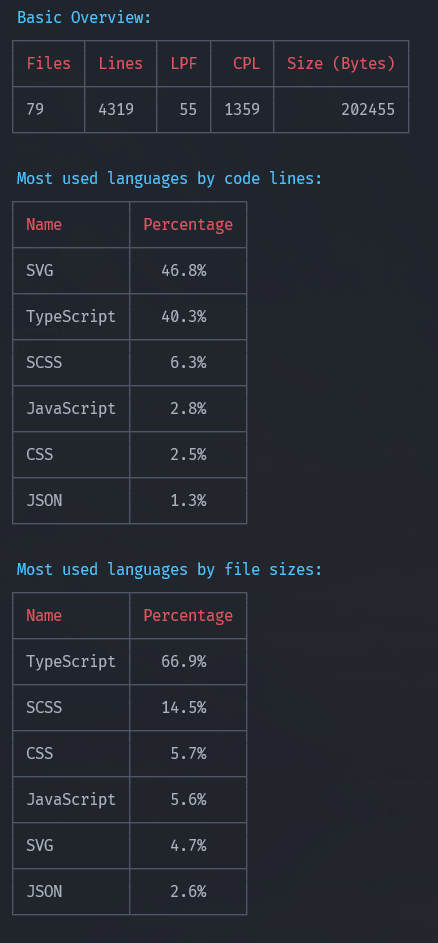
A small CLI that analyzes a codebase and prints a concise, colored summary of files and languages. Everything runs locally.
code-info
A small CLI that analyzes a codebase and prints a concise, colored summary of files and languages. Everything runs locally — no data is sent anywhere.
Install (for users)
After this package is published to npm you can install it globally:
npm install -g code-info
Or run it with npx without installing:
npx code-info [folders] --cwd . --exclude node_modules --ext ts --unknown
Usage
Once installed globally the command is:
code-info [folders] [flags]
cinfo [folders] [flags]
Common flags:
--cwd— project root to resolve paths (default:.)--exclude— paths or glob patterns to ignore (repeatable)--ext— include only files with given extensions (repeatable, without leading dot)--unknown— include files with unknown extensions in the language breakdown--verbose— print extra debugging info
Example:
code-info src --cwd . --exclude node_modules .git --ext ts --ext js
Output
The CLI prints a compact summary (files, lines, size, code lines, blank lines, languages) and a per-language table with counts and sizes. Output uses ANSI colors and a fixed-width table layout for readability.
Privacy
All analysis happens locally on your machine. The tool does not transmit file contents or metadata to any remote service.